Sunday, November 2, 2008

Reflections


I enjoyed this project very much. I am very glad to know of so many useful tools. I would love to create a wiki for my future classroom and perhaps have my students create their own blogs for discoveries and reflections. I enjoyed learning about RSS Feeds, Del.icio.us, Animoto, and TeacherPop the most. I have been keeping my eyes open for other awesome Web 2.0 things like Voki and just today I came across authorSTREAM which allows a user to upload Powerpoints so that they can use them on their websites or blogs!

I plan to keep this blog for my own reference. I have learned so much from these "things!" I started another blog several weeks ago in response to this one: How I Became a Teacher, and I am using it to organize my thoughts along my journey. It has really helped me reflect on my field experiences so far. I hope to one day have enough confidence to reach out to other edubloggers!

Saturday, November 1, 2008

Thing 23-- Creative Commons

I understand why this was the last "thing" on our list. Web 2.0 is really about sharing, learning, helping, and bringing people together. Creative Commons helps people do just that.

I read about Creative Commons a few days ago, and about that time, I was also looking at pictures of celebrity babies. I'm not really into following the lives of celebrities, but I am a sucker for babies! This was one of the pictures I saw:

[(c) Mrs. Me, Inc., 2008.] This photo is licensed under a Creative Commons BY-NC-ND license.

On Gwen Stefani's site, she shared this picture with a Creative Commons license making it okay for others to put it on their blogs (and in other media, with some restrictions). I thought it was neat to see a Creative Commons license in action outside of this project (the credits and Creative Commons license for the APSU 23 Things project are clearly displayed on the lower right hand side of this page)!

As an educator, I am glad to know about Creative Commons, not only to understand what I can and can not do with others' work but also so that I can share my ideas as well. I think we are all capable of those big ideas, and I can't see any reason not to share them and to be a part of a community that helps and supports each other. That is really what becoming a teacher is all about!

Wednesday, October 29, 2008

Thing 22-- Podcasts

I am familiar with podcasts because my husband bought me a Zune for Christmas last year. There is a whole section on the Zune for podcasts (and music, pictures, and videos...it's really the Microsoft version of an iPod), and I had to fill it up and be all tech savvy!

I tried out several podcast subscriptions, but really the only things that stuck were the Radio Disney and Frontline World Podcasts. I'm pretty much obsessed with Frontline World, and my kids are pretty much obsessed with all things Disney Channel.

I have never met a Frontline World podcast that I didn't like, but if I had to pick a favorite, it would be Chicago: Little Mexico because it addresses immigrant issues in this country; and I am genuinely passionate about immigrant rights.

Just as a side note: Here is the link to the Frontline Teacher Resource Center. Hope it's useful to someone or many someones!

Monday, October 27, 2008

My Video-- Pumpkins 2008

{see reflection below}

Thing 21-- Video

Animoto was FUN! I actually paid the $3 to get the longer video because I am going to use it on my kids' blog, too. I used a song from my mom's band.

I added too many pictures to use the 30 second short and wanted the full dose of awesome.

I liked the whole experience. It was easy, and it topped off a great couple of days (I spent the day with my son's kindergarten class at the Honeysuckle Hill Farm.) It's much too cold outside, but I feel all warm and happy inside. :)

P.S. Who loves my "pumpkin pie?" Am I am nerd or what!?

Sunday, October 26, 2008

Thing 20-- YouTube

I went looking for a Common Craft video on YouTube because I have enjoyed all of their lessons "in plain English" throughout this blog project. I initially thought I'd add Electing a US President in Plain English because the election is right around the corner, but I instead decided to add this one on zombies because it's super silly and it's going to get me in the mood to carve pumpkins with my kids this afternoon.

Like with many other things, YouTube is a tool. There is a lot of inappropriate and even harmful things to be found on YouTube (I recently did a special education project on EBD and found a ton of "thinspiration" videos to give encouragement for girls with anorexia to continue not eating). There is a lot of very useful things on YouTube, too. For example, those Common Craft videos are wonderful! If only I had "biology in plain English" last year!

I can see myself using YouTube in the classroom if there was a video that made a lesson more "plain English."

Thing 19-- TeacherPop


Visit TeacherPop

My membership to TeacherPop is pending and awaiting approval so I will come back to this post. I am very excited to set up a page and look around.

Edit: My membership was approved, and I set up my page and added some friends. I look forward to adding more teacher friends as time goes on. This is a great way for us to "network!"

I have to say that TeacherPop (P.O.P.= professional online profile) is genius and so very appreciated. Austin Peay has such a great teacher ed program. I could not be happier.

Saturday, October 25, 2008

Thing 18-- Social Networking

I have been on Myspace for several years. My page is here. Add me, and we will be Myspace friends :-). I have been on Facebook for about a year. I don't use it as much as Myspace.

When I was first encouraged to join Myspace by several friends, I really did not think I would ever create a profile. I felt it was for kids, and it seemed very random and without any purpose. Then I discovered that you can find people by name: classmates, old friends...FOR FREE! And I was sold.

I use Myspace to keep in touch with people that I would probably not ever have the opportunity to communicate with otherwise. It's even helped me find cousins. I don't really share very much on my page, but I keep it private for my own peace of mind anyway.

I am very cautious about what is on the web about me. I lead a VERY G-rated life, but still, I am hyper-aware of what is out there. I recently deleted a video my cousin sent me on Facebook. Her husband was in a series of commercials (he is an aspiring actor) that might have bordered on bad taste. It made me sad to delete it because she was just very proud of her husband...but I always ask myself, "what would a future employer or a parent think about this?"

I do not know if I would use either of these networking sites to communicate with colleagues or parents. If I was going into secondary education, I don't think I would add my students. It just seems a little informal and could get all weird, especially if I was made aware of questionable behavior on their part and would then feel conflicted about what to do about that knowledge. I am going into elementary education, though, and I doubt many, if any, of my students will have profiles on these sites. I don't think my own children are ever going to be allowed to make profiles! We'll take that as it comes, I guess. There are a lot of crazy things on these networking sites, but they are tools that can really be helpful and meaningful. I have had professors suggest that we delete these profiles altogether, which I just don't want to do.

Thing 17-- Del.icio.us


At the risk of sounding like a huge geek...I LOVE DEL.ICIO.US!


When I was watching the tutorials, I didn't really "get it." I am very organized when I save sites to my favorites so I didn't think this was something I needed. I signed up anyway and installed the toolbar. I decided to add all the great education sites I have been finding along my way, and checked out what all the fuss is about.
Well, I was wrong! Social bookmarking is amazing! It was so interesting to see just how many people are saving the sites I am, and in turn, I know they might have other sites I would want/need. There really is a huge community of educators on the web! Wow! We are so lucky to be living in this day and age!
I added my del.icio.us badge to my sidebar. I hope others are doing the same!

Thing 16-- Online Productivity Tools

This "thing" was a little difficult for me. I keep a planner, and I am very organized already. I do not want to make an online calendar or online to-do lists because those things wouldn't actually help me. I do have a terrible memory about most things so I have gotten into the habit of writing everything down. My system works as it is, and it would just take me a lot of time to start a new system. I was successful in completing some tasks I have been meaning to complete while I was learning about this "thing," however. I installed Firefox, and I set my iGoogle page as my homepage. I LOVE Google. ;)

I found a neat tool that I would love to use. Mystickies.com lets you put little sticky notes on any webpage you want for your own use (no one else sees them). I would love to put a note on this blog, for instance, because I have some thoughts about what I want to write in my reflection at the end of this project. However, I couldn't make the toolbar work, and after 20 minutes of trying, I decided I had better finish this up and get back to less fun but important things like vacuuming my house! It seems that the website is fairly new and those running it are developing toolbars for other browsers (it only works with an older version of firefox) so I will hopefully be able to utilize this tool in the future.
I made my own reminder. It's not the same, of course, because anyone can read it...but at least I will remember!

Thing 15-- Wikis

I started this blog entry a week ago, but it was my turn to experience frustration with technology. It wasn't the wiki that was the problem, it was my computer. I could not figure out how to edit the actual pages of The APSU 23 Things Sandbox and so I left a comment. Then I was frustrated because I could not make html code in comments work and/ or could not delete my comment. So it stays. The reason I could not edit the pages was because I was using a browser they just didn't like. I decided that I *finally* need Firefox, and then, I really think Internet Explorer was trying to sabotage me from doing so. Needless to say, I gave myself a few days to like technology again. Today I was successful at editing a page and making a hyperlink work!

I really like the idea of a wiki for older students who are working together on a project. In fact, I recently used a Google Group to work with some classmates on a presentation on a topic in special education. It worked wonderfully! In today's world where everyone seems to be going every which way, it's great that we have so many options to stay in touch.

I found a great example of a wiki from one of the resources Dr. Wall posted on podcasts. It is exactly the kind of site I want to create for my students and parents in the future. It's so much fun and creative and more than anything, effective at getting students and parents involved in not only technology, but the class work too. From this site, I found another FUN Web 2.0 "thing": Voki.com. I got my daughter to help me make a talking avatar and put it in my sidebar on this blog!

Monday, October 6, 2008

Thing 14-- Flowcharts and Mind Maps

My Milestone II interview is tomorrow morning so I am knocking out three things at once: being calm, not freaking out about my interview, and learning about online flow chart and mind map makers. Yay multitasking!

I thought these tools were quite easy to use, and I imagine I will use them again to cater to visual learners in my classroom. I particularly like the idea of a mind map because they really require you to dig deep for all you know about a subject, and I think this would be a good formative assessment to use in my classroom.

I made this flowchart at Gliffy.

I made a mind map with Mindmeister.

I know that's just the tiniest thing ever because it's very long. I thought a neat thing about this Web 2.0 "thing" is that I was able to export just the text which says:

I Want to be a Teacher Because
-I love children
--my own children inspire me to see all children as someone's precious baby
--I strongly feel I have a gift to connect to children on a different level than many adults
-I love learning
-Teachers constantly learn new things
--The best way to learn something in depth is to teach it
-I am creative and resourceful
--Creativity will help me create project ideas
--Creativity and resourcefulness will help me meet the needs of diverse learners
--Resourcefulness will help me make good use of the tools I have
-Field trips are just about the best thing in the world
-I am a happy person, and a sunny disposition can take me far in teaching
--Cheerfulness is contagious and my students will pick up on it
-I love structure and organization
--Lesson plans will be my strong suit
--My classroom will be neat and tidy and not the least bit chaotic
-I am flexible
-I am dedicated
-I am professional
-I can be a leader, but I can be a team player, too
-I love technology
-I am a compassionate person who wants to leave this world better than I found it
--My goal is to model tolerance...no, celebration of cultural difference
--Social change can start in the classroom

-I was meant to be a teacher: as sure as I know anything, this, I know

Sunday, October 5, 2008

Thing 13-- Zoho Writer

For this "thing," I used an essay I wrote for my EDUC 4160 (teaching diverse students) class to work with Zoho Writer. It literally took me two seconds to copy and paste it, and the formatting was perfect. I did play with it a little bit, and it is so surprisingly simple! I exported the finished document to my blog, but it came out to be a size 7 font (really huge), and I decided that I didn't want to include the essay in my post. However, I did learn how to share documents via email, and I emailed the document to myself to find its place on the web.

This tool is wonderful! I am glad that I know of a place to create *free* pdf files from Word documents because I like to share my various writings on my personal website and have created pdf's on paid sites before.

I will definitely use Zoho Writer because with it, I won't have to rely so heavily on my jump drive. It is so convenient to work on the web, and it can really take you from work to home and school and wherever you want to go! Our future students have no idea how great they will have it!

Saturday, October 4, 2008

Thing 12-- Google

I chose to create an iGoogle page, and I am having a similar reaction to it that I had to Google Reader. LOVE. In fact, if I wasn't using up so much homework time playing around with my new cool toys, I could probably be done with all these "things!" I added so much to my page- so much that I had to create tabs to organize it all. Weather, time, calendar, daily quotes and pictures, my reader, Yellow Pages, lots of news and entertainment stuff...even a gadget with the free songs that iTunes gives away. I will admit that I added some pretty awesome game gadgets, too.

I am also a huge fan of Google Bookmarks. This, too, I added to my page. Just last week I emailed myself some links of things I needed to use at the library and/ or print out. With Google Bookmarks on my iGoogle page, I can access what I need on any computer, anywhere!

If I can figure out a way to do it, I will use iGoogle pages in my classrooms because there are so many ways to use it and each student can customize his or her own page. I think it could work especially well with Google Calendar and Google Notebook and all of these tools intertwined can become a learning "home page."

I am very excited by all of this stuff!

Friday, October 3, 2008

Thing 11-- Subscribing to RSS Feeds

"Let me ask you this: if you were able to read the writings of Abraham Lincoln, or CS Lewis, or Ghandi, or Dale Carnegie on a daily basis, would you have done it?

They are among you now. Find them and become transformed."


-From How to Create Your Circle of the Wise from The Cool Cat Teacher blog

I am officially inspired! And I officially added the Cool Cat Teacher to my RSS feeds. And I want to be an edublogger! And I am so excited to begin the journey of finding my own "circle of the wise."

I think there are times in ones' life that put everything into very clear focus. I am having one of those times. I started school (again) at 26 after I had had both of my babies. I didn't know what I wanted to BE, but I knew that I deserved an education and so I went on my path. I changed my major twice, and I thought about changing it ten more times before becoming an education major. My biggest problem with choosing was: I love everything, and I want to learn about everything. Learning is life! Then, after some experiences volunteering in my oldest child's kindergarten class, I KNEW. And everything about me fits into this new goal: to become a teacher. It is the weirdest thing ever, but every education class I have makes me want to become a teacher more and more to the point that I don't know how it's possible to want something more than you already really, really want it SO much. Yes. Yes. Yes. I have found my place.

Now on to the actual requirements of this "thing."

I found most of the blog search tools not to be very helpful to me. Mostly, this is because I don't know what I am looking for. I like a lot of things, but I don't want to add just any blog to my (very awesome and very much loved already) reader. I ended up following The Cool Cat Teacher's advice and found some blogs on her blogroll...and I'll go from there.

Weblogg-ed News: The Read/Write Web in the Classroom

Karyn's blog

Bud the Teacher

and just for kicks, I googled Dr. Wall's name, found this page (!!!), and subscribed to Clarksville Online.

Thursday, October 2, 2008

Thing 10-- RSS Feeds

I am so glad that this project is teaching me all sorts of things that I have seen online but had no knowledge of... I have been a blogger for quite some time, and I have noticed the orange "RSS Subscribe" button so many times, but I didn't know how useful this Web 2.0 tool would be to me.

I am now officially a girl in love with Google Reader! I chose Google Reader for several reasons. First, Google and Blogger are linked up and signing up for the reader was very easy. Secondly, it seems that Google has so many tools that, for simplicity, I will keep a lot of my preferred online tools in one place. Third, with the Google Reader, a user can completely skip the step of clicking an individual page's RSS button and just enter a URL into the reader. I spent quite a bit of time playing with my reader and adding my favorite blogs into it. I was happily surprised that the reader is not only plain text, but it does include the pictures and videos of the blog posts that you would normally find on the home blog. I imagine I will still have to access the blog page to comment, but this tool makes reading blogs so completely easy!

I created a public page! I am so excited by it! I am not sure how interesting my page will be to others, but I am certainly glad that I can easily access my favorite blog posts that are meaningful to me. I also think that I will use this tool in my future classrooms. Having students compile a page with their own favorite blog posts: ones that they find interesting and/or helpful to them would be a great way for them to use technology to their own benefit and to take ownership of their own learning!

All in all, I love RSS!


Friday, September 26, 2008

Thing 9-- Online Image Generators

I made this picture at Foto Trix.

ImageChef.com - Custom comment codes for MySpace, Hi5, Friendster and more
I made this graphic at Image Chef.


I made this picture at Slide.

I made this graphic at Custom Sign Generator. (Seriously, I need to clean my house. My children are little tornadoes.)

For me, this "thing" fell right in with the 71/2 habit for lifelong learning...PLAY! At this point in this blog project, I really looked forward to completing #9-- it sort of pushed me through some of the other "things" (just like the video at the end will be doing!). I can see how our students will sometimes need to PLAY! I am sure that there are ways to squeeze some learning opportunities into fun activities like this...maybe using a word of the day in a cartoon or sign. Just having the chance to be a little creative can be very refreshing!

Thing 8-- Flickr Fun

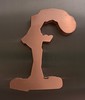
true I F13 Lower-Case Letter F (Washington, DC)

I made a word using Spell with Flickr!


My creation

I made a picture mosaic using Mosaic Maker.


I made a slideshow using Flickr photos with the tag "animals" and Splashr.

I thought making these things was a lot of fun. I think it's pretty neat that Flickr allows these 3rd party sites access to Flickr photos. I think the Web 2.0 community is pretty cool! I also thought it was awesome that I used Flickr twice to make the Mosaic Maker: once to get my photos and then the second time to upload my mosaic into my Flickr account! (I got a giggle out of the button asking me if Mosaic Maker had my permission to access my Flickr account...it said "ok, I'll allow it!" Teehe!)

Thing 7-- Flickr

I decided to take some pictures of my cat, Tattoo. I put him into my avatar, so here's the real guy:


Tattoo


Tattoo


Tattoo


Then my cat Stormy jumped in the way:


Stormy


Stormy


and then I had to take some pictures of Chewy, too:


Chewy


Bless his heart, he's not very photogenic.


Chewy


Chewy

I have used Flickr in the past, mostly for fun photo things. I primarily use Photobucket for picture "storage" when I am using html to edit sites. I feel rather safe with my pictures on the web. I do have a great number of my kids' pictures in various places, but I am not really concerned with it. I will be more concerned when my children are older and they are themselves on the web, searching for stuff and what not. I am not oblivious to the dangers on the web, but I also know it is a BIG BIG place.

Obviously, as teachers, we are going to need to get parental approval to use tools like Flickr. Maybe it will put minds to rest when they are told that Flickr (as does Blogger for that matter) has privacy features.

And yes, I am SO a cat lady!

Monday, September 22, 2008

Thing 6-- My Web 2.0 Find


First of all, Etsy is AWESOME! It is the ebay for crafty folks. I am not a fashion person, but I am obsessed with handmade jewelry and bags. That's not my main "find," but I had to give Etsy a shout-out!

(But, what a cool way to teach students about business- maybe in Home-Ec! Have students create something and then sell it in a real world setting!)

I chose wikispaces as my neat-o Web 2.0 find! I consider myself to be fairly web and computer savvy, but I had NO IDEA what a "wiki" was. I never stopped to wonder why Wikipedia is a wiki-pedia. (By the way, Wikipedia gets a totally bad rap. I am not saying using it as a resource in research is a great idea, but I admit that I usually use it as a starting place...and it's never been wrong for me. I am not saying it never will. I'm just saying it's a generally cool place!)

So, a "wiki" is a website where a lot of different users can edit the content. This specific wiki hosting site is geared toward teachers, too. This would be a great way for students to work in a group on projects and the like (great for students with interpersonal intelligence!). I want to teach 4th grade, and I have no doubt that 4th graders could handle this...in fact, I have to ask my five year old to fix the sound on my computer ALL THE TIME! Amazing!

Sunday, September 21, 2008

Thing 5-- Web 2.0 & School 2.0

I read Minds on Fire: Open Education, the Long Tail and Learning 2.0, Wikipedia - Web 2.0, and Web 2.0 Is the Future of Education as well as watched the video on this page (which freaked me out a little bit because it reminded me of The Matrix!) I think the whole concept of School 2.0 is necessary. Not only is technology expanding at an unbelievable rate and our students will need to keep up, but it has been noted that our students will need a place to go as they will outnumber universities!

Web 2.0/ School 2.0 has affected me personally. I took most of my core classes online through the RODP program. This allowed me to stay at home with my children, and I was so grateful for this! I found that online courses generally focus on critical thinking as opposed to memorization of facts and what not (I was even allowed to use my text book for tests in some cases). This is, I think, a shift we should all be making as educators anyway. I admit that I love being in a classroom setting, but my experiences in online courses were still invaluable to me.

Also, I have had some experience with online parenting message boards/ forums. I even met an ARMY wife who was stationed in Hawaii. Her family (the "B" family) has since moved to Fort Campbell, and she is now one of my closest friends. I think the way the web is bringing people together is simply amazing. As a teacher, I am going to be very passionate about multicultural education, and I want to do my part to change the world through my students! I want to use Web 2.0 technologies to bring different cultures "closer" to my students, perhaps even through "pen" pals!
My Michaela and Scotty and the "B" kids, September 13, 2008, Posted with Permission

Tuesday, September 16, 2008

Thing 4-- Commenting


My Classmates:
I am making an effort to not only comment on five of my classmates' blogs this semester, but to comment on all ten of them. We have a small class, and I do not think this will be too difficult. I have added their blog links to my sidebar so that I can access them easily!

Two of my favorite blogs:

Confessions of a CF Husband

and

Crazy Aunt Purl

The first is the ongoing story of a man whose wife has Cystic Fibrosis. I have followed their story since January when their baby girl was born. Both the mom and baby survived all odds (the mom, Tricia, was awaiting a double lung transplant when she and her husband found out that they were pregnant and were advised to terminate the pregnancy; and the baby, Gwenyth, was born about four months prematurely). Tricia has since received a double lung transplant and is now undergoing chemo as she is battling transplant related lymphoma. This is a wonderful family who has faced so many hardships, but they continue to pull through by the love they have for each other.

The second is the blog of a southern lady who moved to LA years ago. I read her book about surviving her divorce and began to follow her blog after I had finished it (late last year). She knits, she has cats, and she is very hysterically funny- and is a terrific writer.

Oddly enough, I have not commented on either blog! I will certainly do so now.

My thoughts:
After reading The Ten Commandments Of Blog Commenting and How to comment like a king (or queen!), I more fully appreciate that commenting is not only for the commenter, but it is for the blogger, too. I can easily see how comments on a student's blog would make him or her want to continue blogging and how students' comments can be a wonderful learning tool as they are able to share their individual ideas.

From the readings, I really liked the idea that it is okay to use emoticons (Commandment 3) in your blog comments (I once read an article in which the author suggested that they were annoying, and it made me very self conscious of my smilies!)

:)
:-)
:*D

I am a very expressive and animated conversationalist. I use my hands quite a bit when I am speaking. I know from experience that it is not always easy to "get" what a person means by reading his or her words. It's great to add a little something...! ;)

I also appreciate the blog etiquette in writing. This might be something that would be great to show students before beginning the blog process. It's perfectly okay to disagree, but manners are always important. I think it's easy to let loose on the internet because one is not face-to-face with a person, but the rule of thumb is: if you wouldn't say it to the person's face, don't post it online. Also, it's never a bad idea to say something NICE first!

Monday, September 8, 2008

Thing 3-- Register

I have completed the registration form! I like how simple it was to register, and I am glad to see my name on the list of class participants on The 23 Things page.


Until this class, I had not thought about the usefulness of blogs in a classroom setting. Because I love web design, I have however thought about creating a class website (like this one I made for an EDUC 2100 project). Now that I have gotten involved in this project, I am wholeheartedly in favor of a class blog! I think a class blog- or individual student blogs- is a great way to get students involved. Already from this project, I know my classmates' names (there is not that many of us, but I still know more names in a class than I ever have), and I feel like I know them a little bit and am encouraged to interact with them. I can see myself asking students to blog about assignments they have read. This will allow them to reflect on their reading, and as a teacher, it will allow me to make sure they are understanding what they have read. I think it would a great way to get parents involved, too! As a parent, I would love to see my children involved in their school work in a fun, exciting way!

To my classmates:
TIP for anyone wanting a new blog template- just search Google for "blogger templates" (or wordpress, etc.). There are a lot of neat ones out there! Here is a cute site (with some education/ teacher themed blog backgrounds): The Cutest Blog on the Block. Hope you are all having FUN!

Sunday, September 7, 2008

Thing 2-- Blog Set-up & Avatar

Yahoo! Avatars U.K. & Ireland

I really enjoyed playing with this avatar. I tried to make her like me, and I added a cat to represent my cat, Tattoo. This was a fun exercise. When it comes to exploring the web, I understand why creating an avatar was one of our first tasks because it was an opportunity for self expression while simultaneously getting the chance to see that the web doesn't have to be "scary" for those who are uncomfortable with computers.

I have another blog on blogger: Michaela and Scotty Stuff so I was excited to set up this one! I used an ancient version of Paint Shop Pro and some digital scrapbooking supplies. I love, love, love digital design so I am always excited to make stuff for a new project! The following is a slideshow I made with Rock You (that's a Web 2.0 thing!) of some digital scrapbooking pages I have made so everyone knows what digital scrapbooking is (you create pages on your computer with a graphics program like Paint Shop Pro or Photoshop) and print them out either at home or upload them and print through an online printing place. It's FUN!


Create Your Own

Thing 1-- Lifelong Learning

I enjoyed watching the tutorial on lifelong learning. My grandmother had Alzheimer's Disease, and there is a lot of research that suggests that keeping one's mind active can help to deter the onset of Alzheimer's so I make it a point to engage my brain with sudoku puzzles and crocheting and reading, reading, reading. I also really enjoy working with web design so this project is right up my alley!

My biggest strength in the 7 1/2 habits to lifelong learning is habit number 4: to have confidence in yourself as a competent, effective learner. Thanks to my wonderful mother, I have always believed that I am capable of learning anything that I try to learn. Some things come less easily than others (probability and statistics!), but if I make an effort, I know I will succeed. My weakness lies in habit 3: view problems as challenges. I am quick to grow very frustrated, and this is something I try very hard to work on. Although I love working with computers, for example, I also find them more aggravating at times than anything else on the planet!

I am looking forward to uncovering the rest of the discoveries in this project!